Best AI investing apps in 2026
There is no single best AI investing app, because the apps that use the label do very different jobs: some live inside a brokerage, some score stocks, some answer questions about your holdings, and some manage the money for you.
So we grouped 11 of them by the job they do, checked every price and platform against each company's own site or app store listing, and noted where each one stops being useful. StockCar is our own app. It is included as one option, the audio one, in a category of its own at the end.
Quick picks
- Best AI inside the broker you already use: Robinhood Cortex
- Best for automating your own rules: Public (AI Agents)
- Best explainable AI stock scores: Danelfin
- Best for AI questions across all your accounts: Magnifi
- Best for chatting with your real holdings: Walnut
- Best for deep company research: Fiscal.ai
- Best hands-off automated investing: Wealthfront
- Hands-free audio about your holdings: StockCar (our app)
Quick comparison
Partial means the app only sees part of your picture: the holdings inside its own brokerage or managed account, or a watchlist or tracker it applies its scores to.
Detailed reviews
AI inside your brokerage
Robinhood Cortex
Robinhood's conversational AI assistant for Robinhood Gold members, inside the Robinhood iOS app. You can ask how your portfolio is doing, have it build a stock screener from a plain-English request, and have it set up market, stop, and limit orders that you then review and submit yourself.
Verdict: The most convenient option if your portfolio already lives at Robinhood. It does nothing for holdings at other brokers.
Public (AI Agents)
Public's AI Agents let you describe an investing task in plain English, such as trimming a position every week or moving idle cash into a higher-yield account, and the AI proposes a workflow you edit and approve before it runs. Agents can also research assets and analyze the holdings in your Public account.
Verdict: The most ambitious AI-in-a-brokerage product here. Worth a look if you are willing to hold your money at Public.
AI stock scores and screening
Danelfin
Rates US stocks, European stocks, and US-listed ETFs with a single AI Score from 1 to 10, updated daily, and breaks each score into technical, fundamental, sentiment, and low-risk subscores with an explanation of the factors driving it.
Verdict: The strongest pick for screening ideas before you buy, because it shows its reasoning.
Full comparison →WallStreetZen
Grades US stocks from A to F with its Zen Ratings quant model, which WallStreetZen says weighs 115 factors including an AI component, and tracks the records of thousands of Wall Street analysts so you can see whose calls have held up.
Verdict: Good for narrowing a list of US stocks. Treat the grades as one input, not a decision.
Full comparison →AInvest
Built around Aime, an AI assistant that explains moves in your watchlist, summarizes news, screens for ideas, and analyzes your trades once you sync a brokerage such as Robinhood, Schwab, Fidelity, E*TRADE, or Webull. Its charts can overlay paid bullish and bearish trade signals.
Verdict: Broad and feature-heavy. Best if you trade often and want AI in every step of the workflow.
Full comparison →AI research and portfolio Q&A
Magnifi
An AI investing assistant that links brokerages such as Fidelity, Robinhood, and Schwab into one dashboard, then answers plain-English questions, scores your portfolio's health, flags overlapping funds and high fees, and tracks progress toward goals like retirement.
Verdict: Strong if your money is spread across several brokers and you want one place to ask about all of it.
Full comparison →Walnut
A new app (on the App Store since October 2026) that connects read-only to the brokerage you already use and answers questions about your live positions: how you are doing against the market, where you are concentrated, and what changed. It also builds theme-based baskets you can buy through supported brokers, and its portfolio data can be used from Claude or ChatGPT.
Verdict: The closest thing to a chat window on your own portfolio, without moving your money.
Fiscal.ai
A web research terminal with financials, segment KPIs, estimates, transcripts, filings, and fund letters, with each figure traceable to its source filing. Fiscal.ai also offers MCP connectors that bring its data into the AI tools you already use.
Verdict: The research desk. Use it to understand a company properly, not for day-to-day monitoring.
Automated strategies and portfolios
Composer
Composer by SoFi lets you describe a trading idea in plain English, and its AI builds a rules-based strategy you can backtest against benchmarks like the S&P 500 and then run automatically. It works with stocks and ETFs, and you can start with $50.
Verdict: Best for systematic investors who want to automate rules. A very different tool from a research assistant.
Wealthfront
A robo-advisor rather than an AI app: it recommends a diversified portfolio of index funds, then handles the trades, reinvests dividends, and runs tax-loss harvesting automatically. It is on this list because many people searching for an AI investing app really want their money managed for them.
Verdict: If you want the money managed rather than analyzed, this category beats every AI chat tool here.
AI audio about your holdings
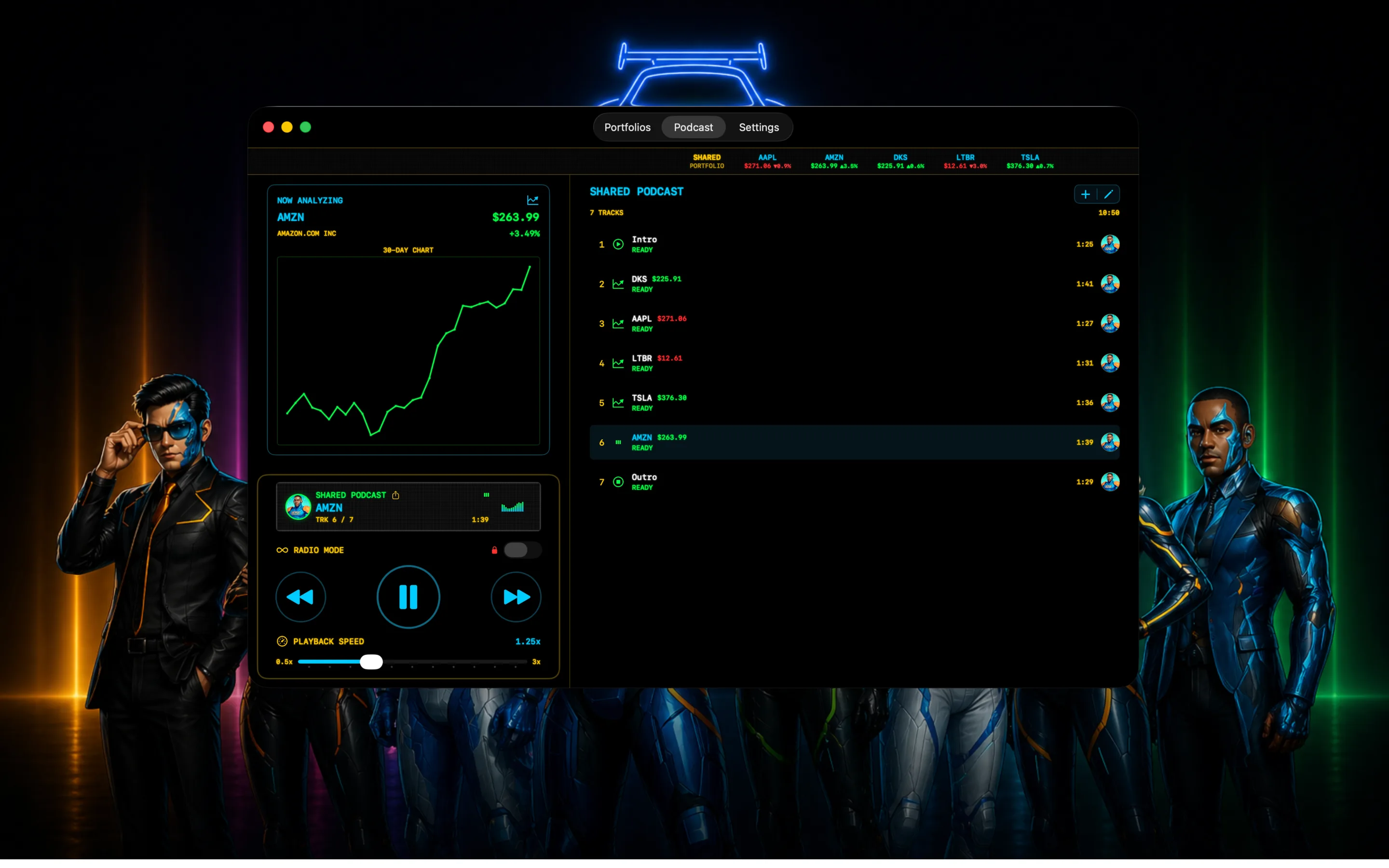
StockCar
Our appOur own app, and a different job from everything above: StockCar does not research, score, or trade stocks. You enter the tickers you follow (stocks, crypto, ETFs, indices, and forex) and it generates an audio episode about them, voiced by AI cohosts, that you can play on iPhone, iPad, Mac, or Apple CarPlay. No account and no brokerage login.
Verdict: Not an AI investing platform. It is the option for keeping up with what you own when you cannot look at a screen.
Try Free →How Magnifi compares
Magnifi's difference is reach: it links brokerages such as Fidelity, Robinhood, and Schwab into one dashboard and answers plain-English questions about all of them at once, with overlap and fee checks on the funds you already own. Walnut is the closest match, also answering questions about your live positions across 30+ brokerages, but it is very new. AInvest also syncs several brokerages, but it is built around trade signals for active traders.
Robinhood Cortex and Public's AI Agents only see what you hold at their own brokerage, and Danelfin scores stocks rather than analyzing your portfolio. Magnifi is free, with Premium at $8.25 a month billed yearly, and it runs on iOS and Android with nothing to listen to.
See the best Magnifi alternatives →Pick by the job. If your money sits at one broker, start with the AI built into it (Robinhood Cortex or Public). If it is spread across several, Magnifi or Walnut can see all of it at once. For screening new ideas, Danelfin shows its reasoning best, and Fiscal.ai is the deepest for researching a single company.
If you want the investing done for you, an automated option such as Wealthfront or Composer fits better than any chat assistant. And if your problem is keeping up with what you already own while you drive or train, StockCar, our own app, turns those tickers into an audio episode. None of these tools predicts the market, and none of their output is financial advice.
How we reviewed these apps
What we compared: what each app's AI actually does, which job it is built for, what it costs, which platforms it runs on, and whether it works from your own holdings or from the market as a whole.
How: every app name, feature, price, and platform on this page was checked on November 2, 2026 against the company's own website or its App Store or Google Play listing. Where a company did not publish a detail we could confirm, we left it out instead of guessing. Prices are as each company lists them for US customers and change often, so check before you subscribe. We did not measure investment returns or the accuracy of any AI score. On November 14, 2026 we added the Quick picks and the Magnifi comparison, both built from those same checked entries.
Who wrote it: Matt Senter, who builds StockCar. StockCar is our own app; it is included as one option and placed in its own category rather than ranked first. There are no affiliate links on this page.
Frequently asked questions
It depends on the job. For AI inside your broker, Robinhood Cortex (with Robinhood Gold) or Public's AI Agents. For AI stock scores, Danelfin or WallStreetZen. For questions about holdings spread across several brokers, Magnifi or Walnut. For deep company research, Fiscal.ai. For automated investing, Wealthfront or Composer. For hearing about your own tickers hands-free, StockCar, which is our app.
Magnifi links brokerages such as Fidelity, Robinhood, and Schwab into one dashboard and answers plain-English questions across all of them, with overlap and fee checks on the funds you own. Walnut does something similar across 30+ brokerages and is newer. Robinhood Cortex and Public's AI Agents only see holdings at their own brokerage, AInvest leans toward trade signals for active traders, and Danelfin scores stocks rather than your portfolio. Magnifi is free, with Premium at $8.25 a month billed yearly.
"AI investment app" and "AI investing app" describe the same category: apps that use AI to help you research, monitor, or act on investments. The comparison above applies either way. Start from what you want the AI to do, then pick the app built for that job.
If you want your money managed, Wealthfront is the simplest hands-off option. If you want to learn, Danelfin explains the factors behind each score, and Magnifi or Walnut answer plain-English questions about what you own. StockCar is easy too: no brokerage login, just an audio episode about the tickers you pick.
Most apps here are built for US investors and US brokerages. Danelfin covers European stocks as well as US ones. For Canada, see our Canadian guide, which covers Wealthsimple, Questrade, Moomoo Canada, Walnut, and Danelfin. StockCar works from tickers you type in rather than a brokerage link, so it is not tied to a US broker.
Many have free tiers. Danelfin, WallStreetZen, Magnifi, and Walnut all have free plans, Composer has a $0 Starter plan, Fiscal.ai offers free signup and a 7-day trial, and StockCar includes 10 free tracks. Robinhood Cortex needs Robinhood Gold ($5 a month), and Wealthfront charges a 0.25% annual advisory fee.
Some can, with different levels of control. Robinhood Cortex sets up orders that you review and submit. Public's Agents run workflows you approve. Composer runs strategies automatically on rules you set, and Walnut places orders you approve through supported brokers. StockCar does not trade at all.
Not in the usual sense. StockCar does not pick stocks, score them, or trade. It uses AI to turn the tickers you follow into an audio podcast episode about their prices and news, so it complements the tools above rather than replacing them.
Ready to hear your portfolio?
Download StockCar free. No account. No brokerage login. Your first AI portfolio episode in under 10 seconds.
Download Free on iOS