Finance news on Apple CarPlay,
about your portfolio.
StockCar turns the stocks and crypto you follow into a personalized AI podcast. On CarPlay, choose a portfolio on your car display and hear what moved and why on the way to work.
Download Free on the App Store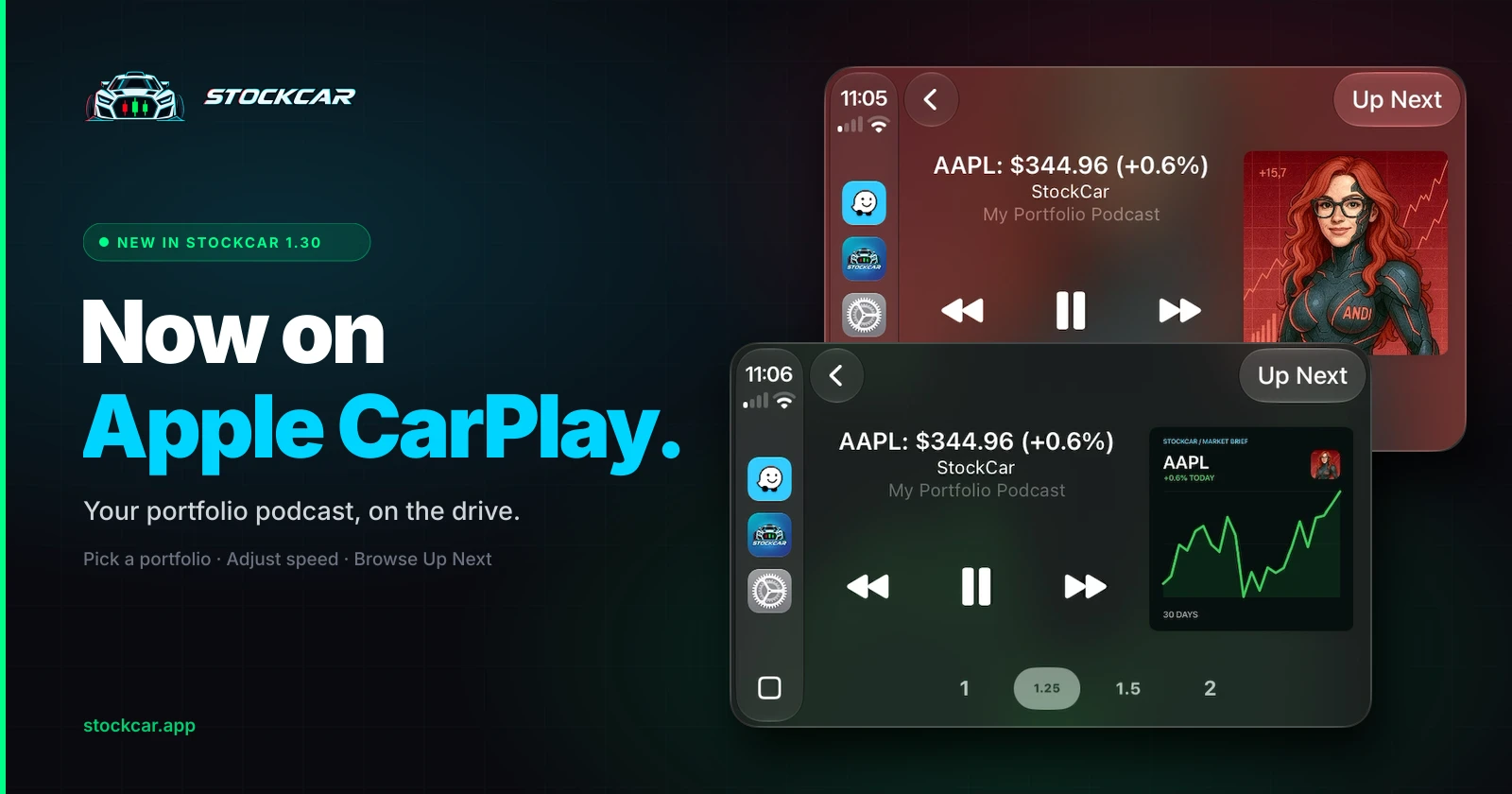
A market podcast that covers what you own
Your tickers, not the whole market
Every episode is built from the stocks, crypto, ETFs, indices, and forex pairs you choose. No sitting through coverage of companies you do not own.
Built for the car display
Pick a portfolio, then use Now Playing for skip controls, playback speed from 1x to 2x, and Up Next to see what plays after the current ticker.
News and price moves together
Each track pairs the latest price move with the news behind it, voiced by AI cohosts with distinct styles, so it sounds like a show, not a readout.
Why finance news on CarPlay usually misses
Most finance audio in the car is a general market podcast or a business radio stream. Both are made for everyone, so most of the drive covers companies and coins you do not hold, and the update on your position may never come.
StockCar starts from your portfolio. Add tickers like NVDA, AAPL, or BTC and each one becomes a track with its latest price move and the news behind it. Stocks are covered before the open, during market hours, and after the close. Crypto is covered around the clock.
How StockCar works in CarPlay
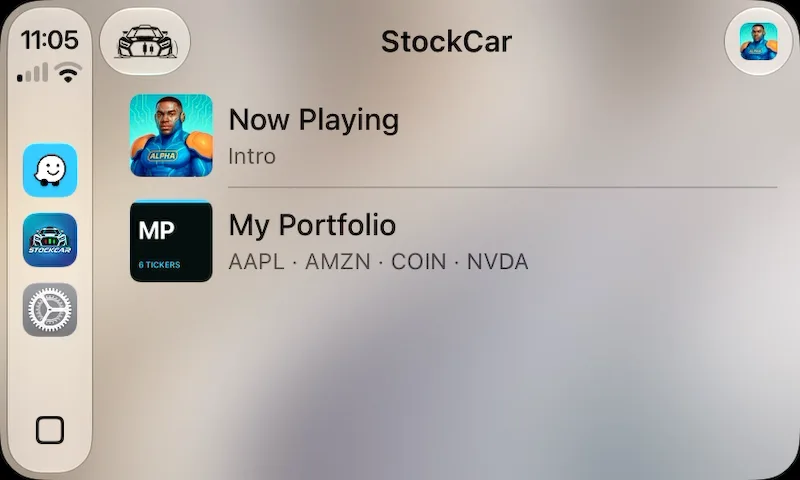
Open StockCar on your car display and you will see your portfolios and Now Playing. Pick a portfolio and the episode starts.
Now Playing shows the ticker and price for each track, cohost or chart artwork, and playback speed at 1x, 1.25x, 1.5x, or 2x. Up Next lists what is coming. Your iPhone and CarPlay share one playback session, so listening can continue after you park.
Set up in a minute, while parked
Install or update StockCar on iPhone to version 1.30 or later.
Create a portfolio with the stocks, crypto, or ETFs you want to hear about.
Connect your iPhone to a compatible CarPlay vehicle.
Open StockCar on the car display and choose your portfolio.
Generating new audio requires an internet connection and available tracks. Already-generated tracks stay playable. See pricing for plan details, or read the CarPlay launch announcement.
CarPlay questions
Can I listen to finance news on Apple CarPlay?
Yes. StockCar supports Apple CarPlay on iPhone. It plays a personalized finance news podcast about the stocks, crypto, ETFs, indices, and forex pairs in your portfolio, so you hear updates on what you actually follow instead of a general market show.
What does StockCar show on the CarPlay screen?
A list of your portfolios and a Now Playing screen. Now Playing shows the ticker and price for the current track, cohost or chart artwork, skip controls, playback speed (1x, 1.25x, 1.5x, and 2x), and Up Next.
Do I need to set anything up before driving?
Yes. Create a portfolio with your tickers in the StockCar app on iPhone while parked. Then connect to CarPlay and choose that portfolio on the car display.
Does StockCar on CarPlay cost extra?
No. CarPlay has no separate purchase. The free download includes one portfolio and 10 tracks total, one time. Standard adds 20 tracks a day and Pro adds 50, both with unlimited portfolios and Premium Support. Every plan includes all cohosts, themes, and Infinite Radio Mode.
Does it work for crypto and after-hours moves?
Yes. StockCar covers crypto around the clock and stocks before the open, during market hours, and after the close. Generating new audio requires an internet connection and available tracks.
Does StockCar connect to my brokerage or place trades?
No. StockCar never asks for a brokerage login and does not place trades. You type in the tickers you want to follow. Its content is market information and commentary, not financial advice.
Make your commute your market briefing.
Free to download with 10 tracks to try. All cohosts, themes, and Infinite Radio Mode™ on every plan.
Download Free on the App StoreStockCar provides market information and commentary, not financial advice.