StockCar is now on Mac.
Your portfolio podcast, on a bigger screen.
StockCar is now available for macOS. The same AI podcast you've been listening to on your phone - with your exact tickers, your co-host, your episode - now runs natively on your Mac.
Available now on the Mac App Store. Free download, same pricing as iOS.
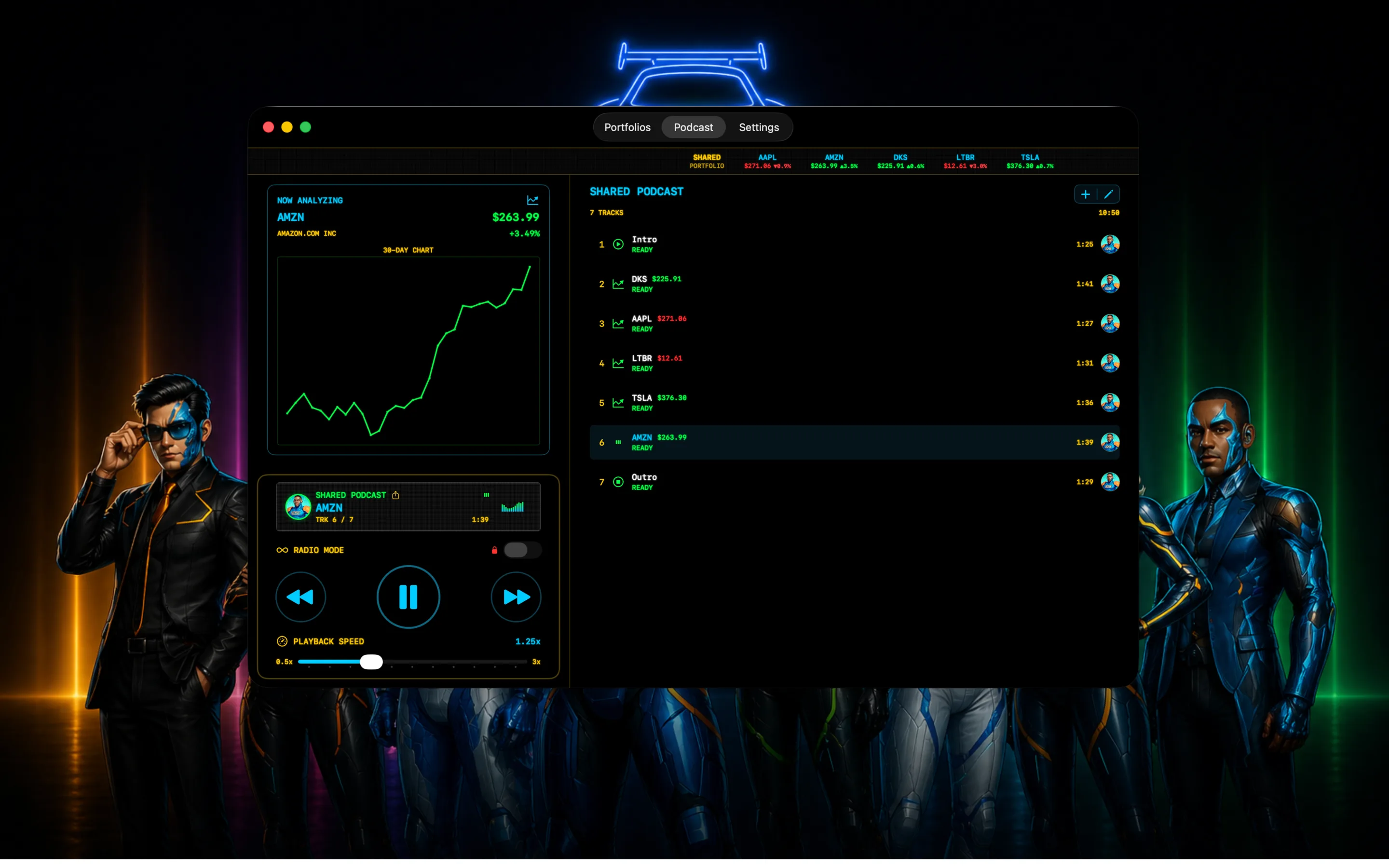
StockCar now runs natively on macOS - the full app experience, optimized for a large screen and trackpad
Episode generation time on Mac, same as iOS - type your tickers, hit generate, and your episode is ready instantly
Universal purchase - if you already have StockCar on iPhone or iPad, you get the Mac app at no extra cost
Everything you know from iOS - now on macOS
The Mac app is the full StockCar experience: add your stocks, crypto, indices, and forex pairs, and get a personalized AI podcast in under ten seconds. Every co-host is here. Every pricing tier. Every feature. The transition from iPhone to Mac is zero learning curve.
The Podcast tab is where most Mac users will spend their time. Your shared portfolio sits in the main view: every ticker as a track, playback controls at the bottom, and the now-analyzing chart updating live as each segment plays. It looks exactly like the screenshot above - and if you're used to the iOS version, it'll feel immediately familiar.
If you're already a subscriber on iOS, the Mac app is included at no additional cost. It's a Universal Purchase - one subscription, every Apple device you own.
What's different on Mac
The bigger canvas changes how StockCar feels. On iPhone, the experience is optimized for a glance and a listen. On Mac, you get the full picture at once: your ticker bar across the top with live prices, the portfolio chart in the left column, and your track list in full width on the right - everything visible without scrolling.
Adding tickers with a full keyboard is meaningfully faster than tapping on glass. The macOS menu bar integrates naturally with system audio controls. And if you use StockCar while working at a desk - catching up on your portfolio during a break, or having an episode run in the background while you work - the Mac is simply a better fit.
The Portfolios tab and Settings carry over exactly. Your Mac and iPhone share the same StockCar experience - so whatever tickers and co-host you've set up on one device, the other works the same way.
Infinite Radio Mode™ on desktop
For subscribers, Infinite Radio Mode™ keeps generating refreshed portfolio updates without stopping. On iPhone, that's useful for a commute or a workout. On Mac, it becomes something different: a live financial audio feed running in the background while you work, updating as the market moves throughout the day.
Set it and let it run. When the market opens, when a position moves, when the afternoon session picks up - StockCar will already be talking about it.
How to get StockCar on your Mac
Open the Mac App Store on your Mac and search for StockCar, or use the link below. The app is a free download.
Sign in with the same Apple ID you use on iPhone. If you have an active StockCar subscription, it will be recognized automatically - no repurchase needed.
Add your tickers in the Portfolios tab and head to the Podcast tab. Hit generate. Your first Mac episode is ready in under ten seconds.
Your portfolio podcast - on every Apple device.
Add AAPL, AMZN, or any ticker you follow and get a personalized AI episode in seconds - now on iPhone, iPad, and Mac.
Download Free on the App Store